
The drop needs a clip. Someone sends the hero still and writes “can we make this move.”
If you run /image again, you will get another still. If you crop the first one to 9:16, you will get a taller still. Neither file plays. A thumbnail is not a clip either — that job is a thumbnail, not a poster.
/video is the command that has to return something you can press play on. Say how long. Say the frame. Point at the still you already accepted, if you have one.
The conversation after this essay does that in order. First the shoe. Then the clip, with @out:shoe-hero.
Accept the still
Motion from nothing will invent a different shoe. Materials drift. The set changes color. The landing page and the reel stop being relatives.
Design an unbranded teal running shoe hero image on a warm orange sculptural set with accurate materials, crisp studio light, and no readable text or logos.
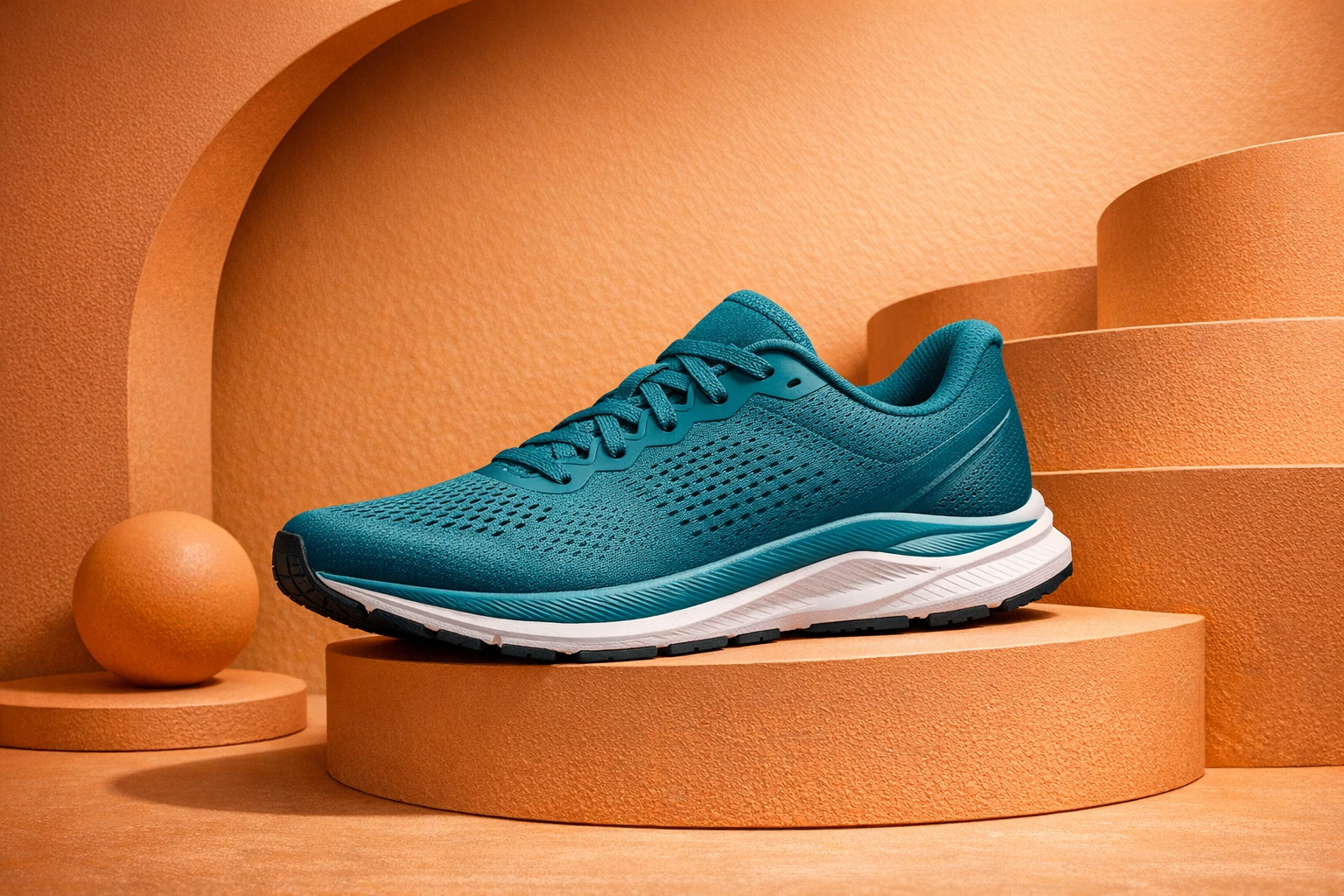
Finish the pixels in the Image Editor if the still is wrong. Do not animate a file you would not ship.
This is the same “one honest object” rule as When to use /image instead of /images. The clip inherits the object. It should not rewrite it.
Then ask for playable time
Name the command. Name a public route if the speed matters. Name the accepted file. Name the clock.
Slow push-in across the accepted shoe still. No overlays, no readable text, no logos.
$duration:8 is the job. “A short video” is how you get a loop you cannot use, or a still with motion blur painted on.
$aspect:9:16 is the phone. A 16:9 cut is a different room. Do not ask for one frame and crop it later unless you like losing the shoe.
@out:shoe-hero is the previous result in this conversation. You are not describing the teal again. You are moving the file you already trusted.
@promptha.seedance-2.0 is a standard motion route. Quick and pro exist — that comparison is Quick, standard, and pro. Leave the token out if Promptha should choose. Never name the transport. Public aliases stay @promptha.*.
Ban overlays. Ban readable text. Ban logos. A clip with a fake end-card is a picture of marketing that happens to move. Write the end card later, as type, or keep it off the file.
What video is not
It is not a prettier /image. If it does not play, you do not have /video.
It is not /images. Four frames are a storyboard. They are a good input. They are not a clip until something interpolates time.
It is not /carousel. Slides swipe. A clip plays.
It is not /audio. Speech is a different file. Write the voiceover first — How /write is different from a picture of text — then narrate it. Do not ask /video to invent a script and burn it into the picture.
It is not a thumbnail. The cover for the clip is /thumbnail. The clip is /video. Two files. Two Fridays.
Directed, not random
“Make it cinematic” is how you get a random camera and a shoe that grows a second lace. Direct the move: slow push-in, locked off, a small orbit. One move. Eight seconds. The object stays the object.
If you need a story with a beginning and an end, say so. If you need a loop under a post, say loop. Those are different jobs. The vertical, directed version is Vertical clips that look directed, not random.
When the file lands, press play. If you only received a poster frame, you do not have the artifact. Finish playable motion on the Design Editor path. Keep the still. You will need it again.
The rest of the language is in What AskGL is. The map is the command list. School for routes is AskGL models.
Then open Ask. Accept the still. Ask /video with @out: and a duration. That is how a hero becomes a clip.
Frequently asked questions
Can I crop a hero image and call it video?
No. A crop is still a still. /video has to return a playable file. Name $duration and $aspect.
Do I have to generate the still first?
You do not have to. You should. An accepted still with @out: keeps the object honest when it starts to move.
Where does /video finish?
Playable motion finishes on the Design Editor path. Do not treat a poster frame as the delivery.

