6
Formats
19
Slots
5
Checks
AskGL production flow
Run the commands in order to create the reusable template assets and editable output.
Commerce copy map
Creates the editable planning or copy layer that remains native in the project.
/write @openai.gpt-4o Turn the product brief into listing copy, benefit hierarchy, feature callouts, alt text, ad hooks, offer notes, and export metadata.
Commerce visual system
Creates source media with text-safe regions while readable text stays editable.
/image @promptha.imagen-4-ultra $aspect:1:1 $quality:high Create a text-safe ecommerce product drop visual system with blank callout panels, product-photo-safe surfaces, no readable text, no fake marketplace UI, no copied brands.
Listing Hero Template contract
Creates the reusable slot, layer, regeneration, and export contract for this kit output.
/write @openai.gpt-4o Build a Promptha output template contract for Listing Hero. Template id: product-drop-commerce-kit-listing-hero-template. Project kit: Product Drop Commerce Kit. Connected editor: commerce-studio. Source mode: hybrid. Layout archetype: hero image plus reserved text zone. Editable fields: Product name, Benefit line. Exports: png-pack, webp-pack, markdown, json, zip. Return slots, layer families, regeneration targets, export rules, QA gates, and marketplace metadata. #editor-ready #layer-director #critic
Listing Hero Template artifact
Creates the editable design artifact outline that the connected editor can assemble.
/json @openai.gpt-4o Create a design artifact outline for product-drop-commerce-kit-listing-hero-template. Canvas: 1080 x 1080. Source mode: hybrid. Layout: hero image plus reserved text zone. Editable field ids: product-name, benefit-line. Export targets: png-pack, webp-pack, markdown, json, zip. Return JSON with pages, layers, native text fields, image slots, shape layers, style tokens, regeneration targets, and export metadata. Rules: readable text must stay native, generated media must be slots or references, and visible canvas must not contain process labels. #editor-ready #layer-director
Feature Callout Template contract
Creates the reusable slot, layer, regeneration, and export contract for this kit output.
/write @openai.gpt-4o Build a Promptha output template contract for Feature Callout. Template id: product-drop-commerce-kit-feature-callout-template. Project kit: Product Drop Commerce Kit. Connected editor: commerce-studio. Source mode: hybrid. Layout archetype: modular grid. Editable fields: Feature callout. Exports: png-pack, webp-pack, markdown, json, zip. Return slots, layer families, regeneration targets, export rules, QA gates, and marketplace metadata. #editor-ready #layer-director #critic
Feature Callout Template artifact
Creates the editable design artifact outline that the connected editor can assemble.
/json @openai.gpt-4o Create a design artifact outline for product-drop-commerce-kit-feature-callout-template. Canvas: 1080 x 1080. Source mode: hybrid. Layout: modular grid. Editable field ids: feature-callout. Export targets: png-pack, webp-pack, markdown, json, zip. Return JSON with pages, layers, native text fields, image slots, shape layers, style tokens, regeneration targets, and export metadata. Rules: readable text must stay native, generated media must be slots or references, and visible canvas must not contain process labels. #editor-ready #layer-director
Comparison Card Template contract
Creates the reusable slot, layer, regeneration, and export contract for this kit output.
/write @openai.gpt-4o Build a Promptha output template contract for Comparison Card. Template id: product-drop-commerce-kit-comparison-card-template. Project kit: Product Drop Commerce Kit. Connected editor: commerce-studio. Source mode: hybrid. Layout archetype: modular evidence and metadata grid. Editable fields: Benefit line, Price or offer note. Exports: png-pack, webp-pack, markdown, json, zip. Return slots, layer families, regeneration targets, export rules, QA gates, and marketplace metadata. #editor-ready #layer-director #critic
Comparison Card Template artifact
Creates the editable design artifact outline that the connected editor can assemble.
/json @openai.gpt-4o Create a design artifact outline for product-drop-commerce-kit-comparison-card-template. Canvas: 1080 x 1080. Source mode: hybrid. Layout: modular evidence and metadata grid. Editable field ids: benefit-line, price-note. Export targets: png-pack, webp-pack, markdown, json, zip. Return JSON with pages, layers, native text fields, image slots, shape layers, style tokens, regeneration targets, and export metadata. Rules: readable text must stay native, generated media must be slots or references, and visible canvas must not contain process labels. #editor-ready #layer-director
Ad Variant Template contract
Creates the reusable slot, layer, regeneration, and export contract for this kit output.
/write @openai.gpt-4o Build a Promptha output template contract for Ad Variant. Template id: product-drop-commerce-kit-ad-variant-template. Project kit: Product Drop Commerce Kit. Connected editor: commerce-studio. Source mode: hybrid. Layout archetype: hero image plus reserved text zone. Editable fields: Product name, Benefit line, CTA. Exports: png-pack, webp-pack, markdown, json, zip. Return slots, layer families, regeneration targets, export rules, QA gates, and marketplace metadata. #editor-ready #layer-director #critic
Ad Variant Template artifact
Creates the editable design artifact outline that the connected editor can assemble.
/json @openai.gpt-4o Create a design artifact outline for product-drop-commerce-kit-ad-variant-template. Canvas: 1080 x 1080. Source mode: hybrid. Layout: hero image plus reserved text zone. Editable field ids: product-name, benefit-line, cta. Export targets: png-pack, webp-pack, markdown, json, zip. Return JSON with pages, layers, native text fields, image slots, shape layers, style tokens, regeneration targets, and export metadata. Rules: readable text must stay native, generated media must be slots or references, and visible canvas must not contain process labels. #editor-ready #layer-director
Story Cutdown Cover Template contract
Creates the reusable slot, layer, regeneration, and export contract for this kit output.
/write @openai.gpt-4o Build a Promptha output template contract for Story Cutdown Cover. Template id: product-drop-commerce-kit-story-cutdown-cover-template. Project kit: Product Drop Commerce Kit. Connected editor: commerce-studio. Source mode: raster. Layout archetype: hero image plus reserved text zone. Editable fields: Product name, CTA. Exports: png-pack, webp-pack, markdown, json, zip. Return slots, layer families, regeneration targets, export rules, QA gates, and marketplace metadata. #editor-ready #layer-director #critic
Story Cutdown Cover Template artifact
Creates the editable design artifact outline that the connected editor can assemble.
/json @openai.gpt-4o Create a design artifact outline for product-drop-commerce-kit-story-cutdown-cover-template. Canvas: 1080 x 1080. Source mode: raster. Layout: hero image plus reserved text zone. Editable field ids: product-name, cta. Export targets: png-pack, webp-pack, markdown, json, zip. Return JSON with pages, layers, native text fields, image slots, shape layers, style tokens, regeneration targets, and export metadata. Rules: readable text must stay native, generated media must be slots or references, and visible canvas must not contain process labels. #editor-ready #layer-director
Generate listing hero system
Creates a supporting text-safe source asset for the project package.
/image @promptha.imagen-4-ultra $quality:high Create a text-safe listing hero system for Product Drop Commerce Kit. Keep readable copy editable outside the image. No logos, no watermarks, no flattened text.
Generate callout image system
Creates a supporting text-safe source asset for the project package.
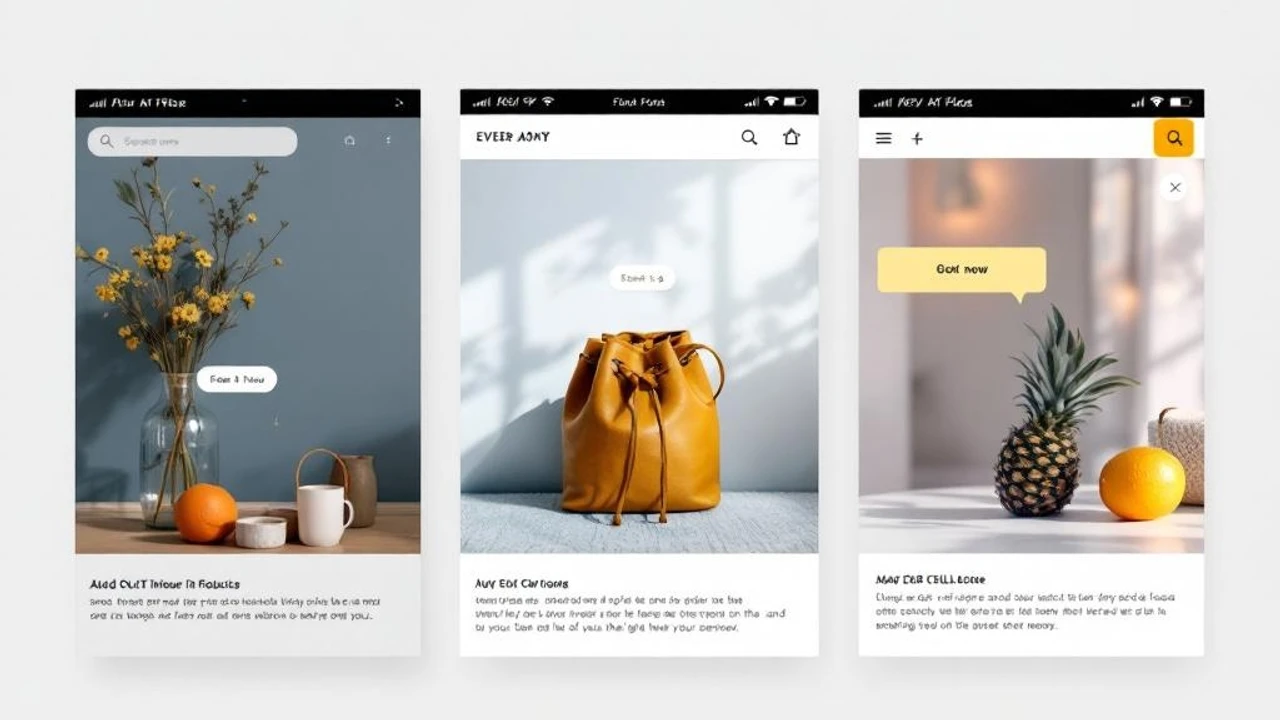
/image @promptha.imagen-4-ultra $quality:high Create a text-safe callout image system for Product Drop Commerce Kit. Keep readable copy editable outside the image. No logos, no watermarks, no flattened text.
Generate ad variant system
Creates a supporting text-safe source asset for the project package.
/image @promptha.imagen-4-ultra $quality:high Create a text-safe ad variant system for Product Drop Commerce Kit. Keep readable copy editable outside the image. No logos, no watermarks, no flattened text.

Generate story video system
Creates a supporting text-safe source asset for the project package.
/image @promptha.imagen-4-ultra $quality:high Create a text-safe story video system for Product Drop Commerce Kit. Keep readable copy editable outside the image. No logos, no watermarks, no flattened text.